From faster design to smarter programming, Q4 was all about making automation simpler, more intuitive, and more powerful. Across MachineBuilder, MachineLogic, and our Developer Toolkit, we’ve launched major updates to help you design, simulate, and deploy with confidence, all from your browser.
Let’s take a look at what’s new across the Vention Platform.
Vention Projects: A Collaborative Workspace for Your Automation Deployment
Every great automation project starts with an idea, but turning that idea into reality is where the challenge begins.
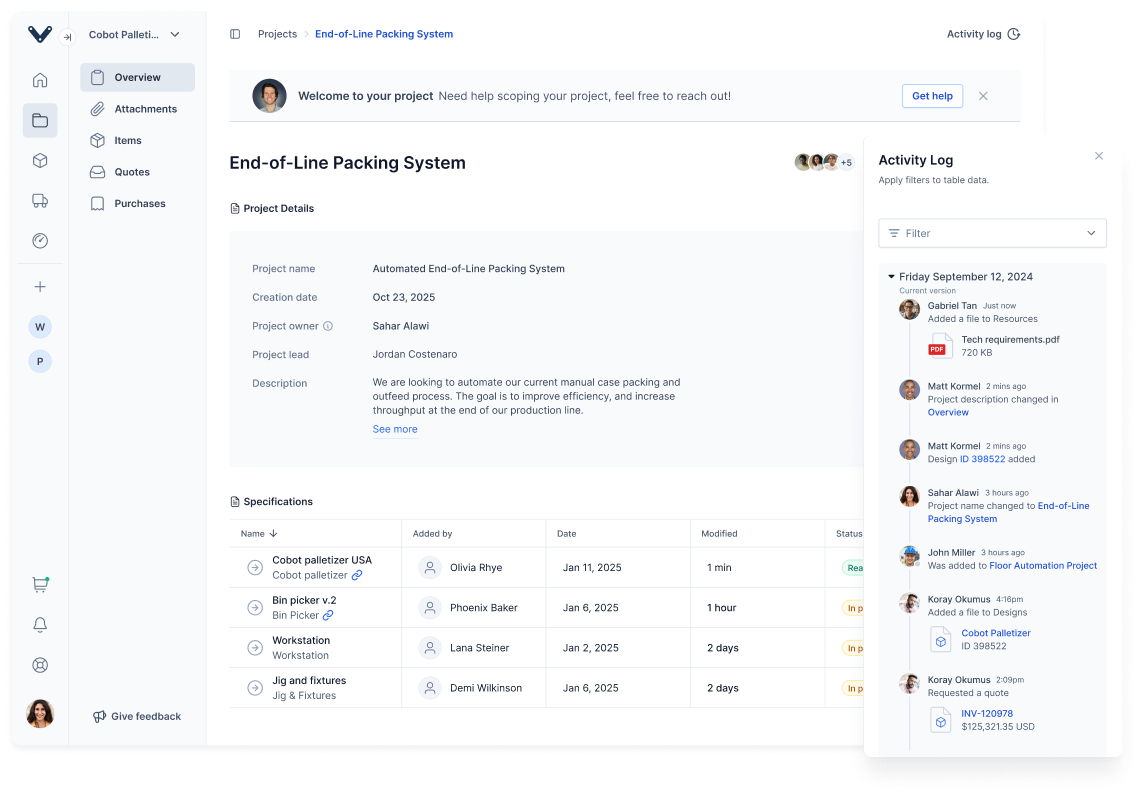
Powered by the industry’s largest repository of machine specifications, Vention Projects is a collaborative workspace that helps your team scope automation projects with clarity, compare multiple solutions, and track every decision from quote to order.
With the Overview tab, teams can define project scope in minutes using guided templates and industry benchmarks. The Attachments and Items tabs make it easy to bring together CAD files, floor plans, and live 3D designs side by side, while the Purchases tab adds complete visibility into your order history, quotes, and invoices.
Try Vention Projects today: https://vention.io/dashboard/projects
MachineBuilder: Faster Design, Better Context, and Smarter Tools
A New UI for a New Era
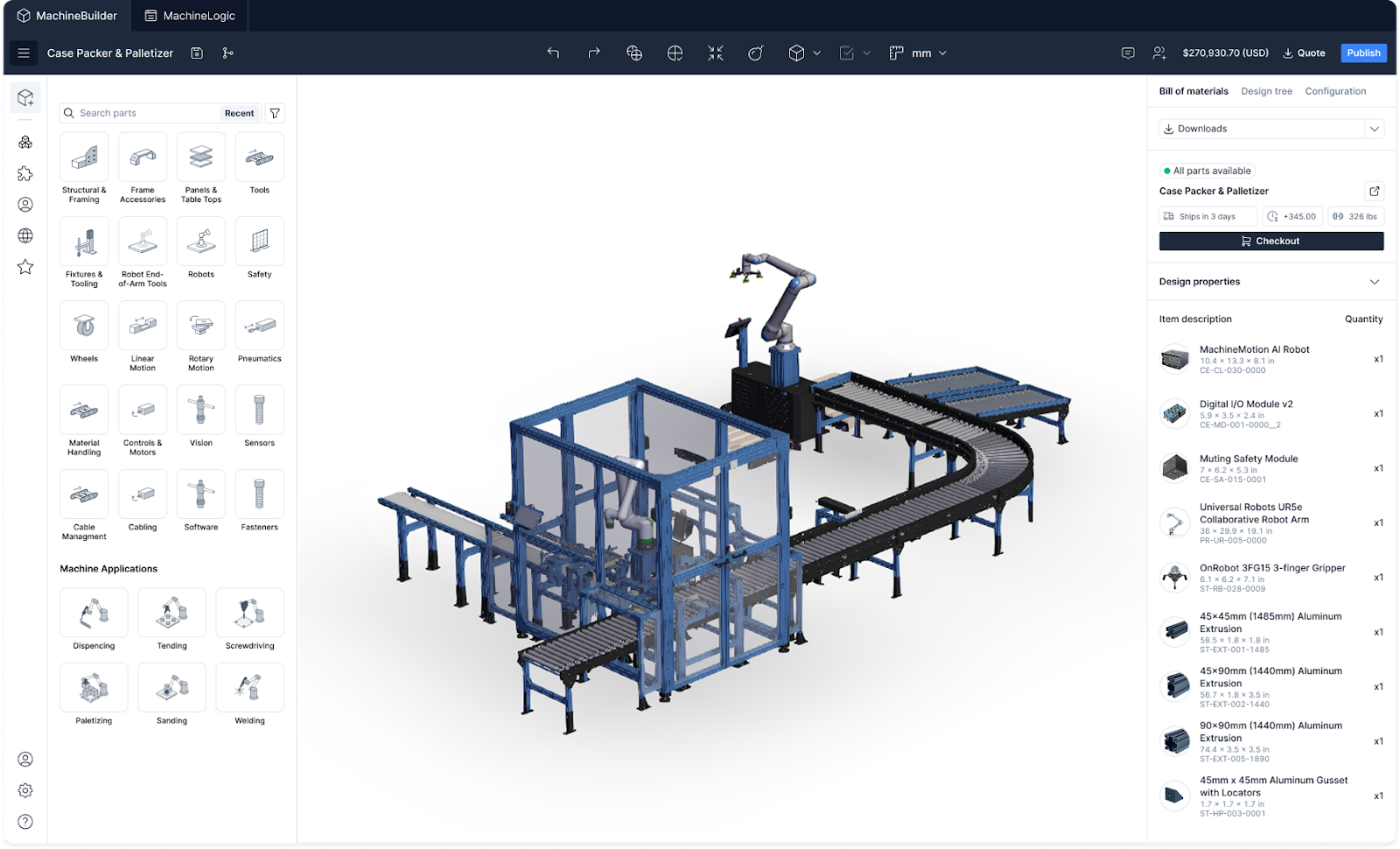
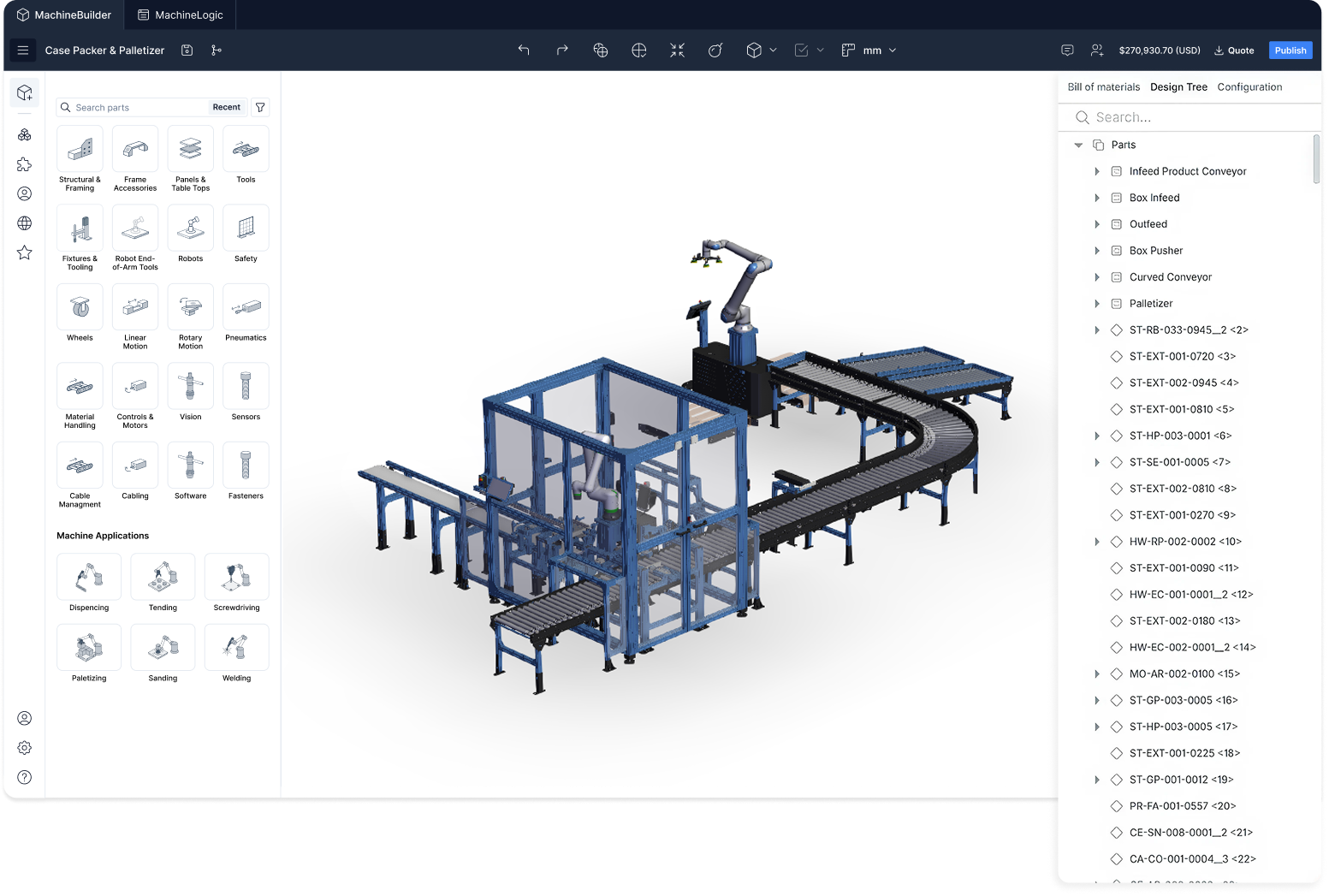
MachineBuilder has a brand-new look. We’ve reimagined the interface to make every step — from designing to simulating — smoother and more intuitive. Navigation is simplified, toolbars are contextual, and the 3D workspace feels faster and more responsive than ever.
Design Tree & Grouping
Managing large, complex designs just got easier. The new Design Tree gives you full control over every part of your build. Group, rename, and organize subassemblies for a cleaner, more efficient workflow — especially in multi-robot or multi-cell layouts.
Panel Studio: Full Control Over Cutouts
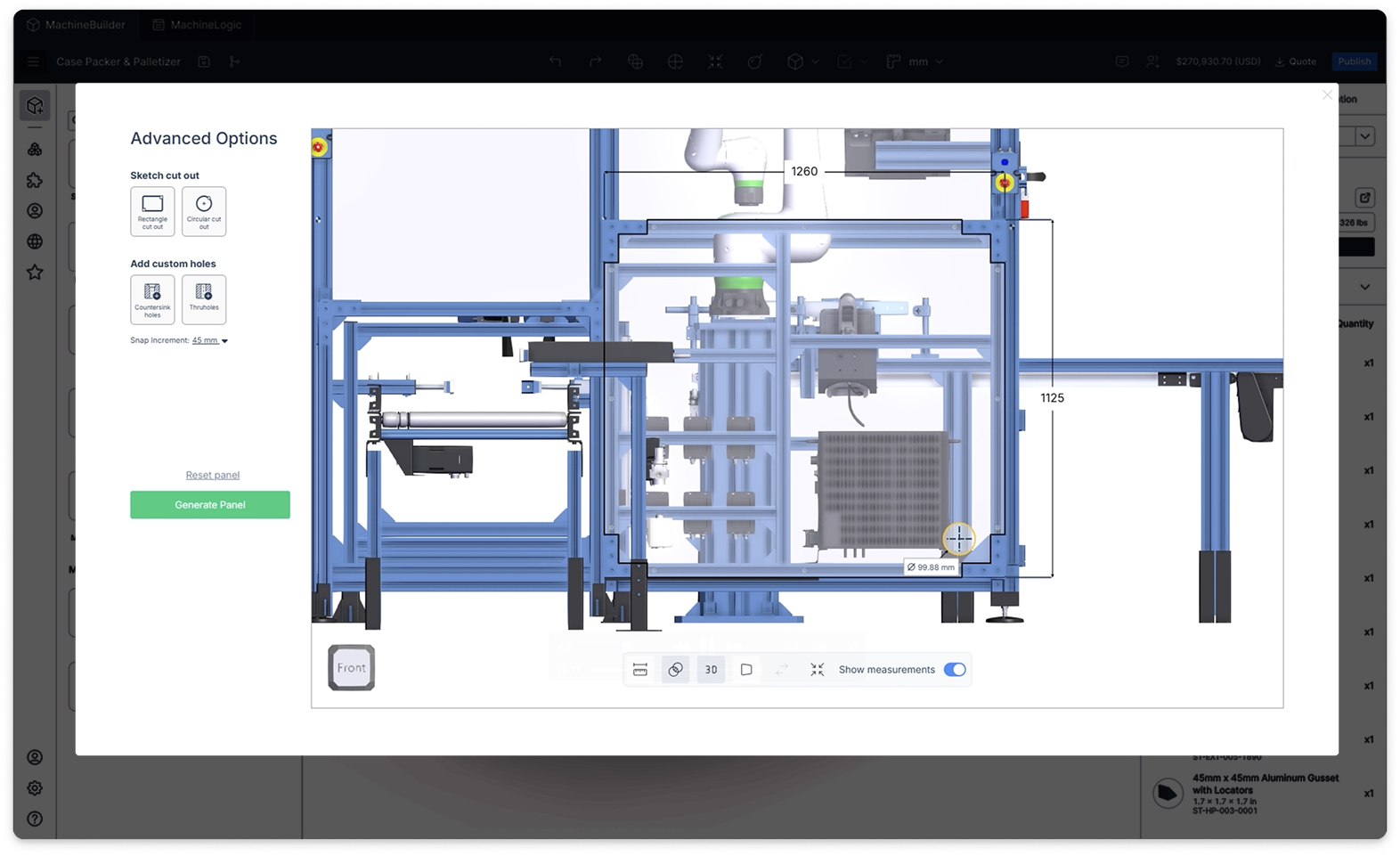
Introducing the new Panel Studio: a complete in-browser tool for creating and customizing panels. You can now add cutouts, openings, and labels directly within MachineBuilder, while visualizing everything in 3D context.
Import 2D Floor Plans
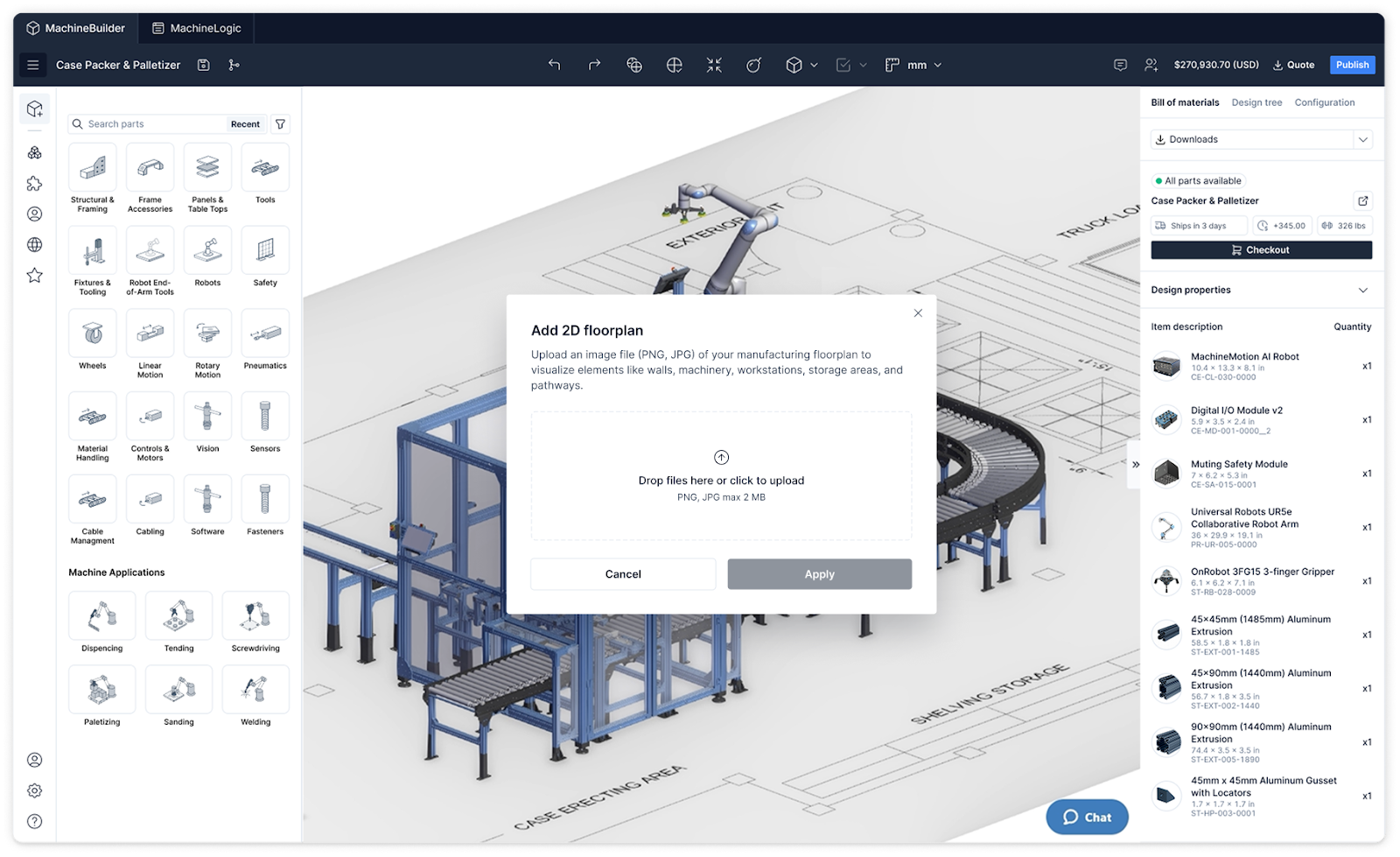
Bring your facility into the design process. With 2D Floor Plan Import, you can overlay your plant layout directly into MachineBuilder to position robots, conveyors, and workstations with precision, ensuring everything fits perfectly in real space.
MachineLogic: Smarter, Faster, and Easier to use
A New MachineLogic Experience
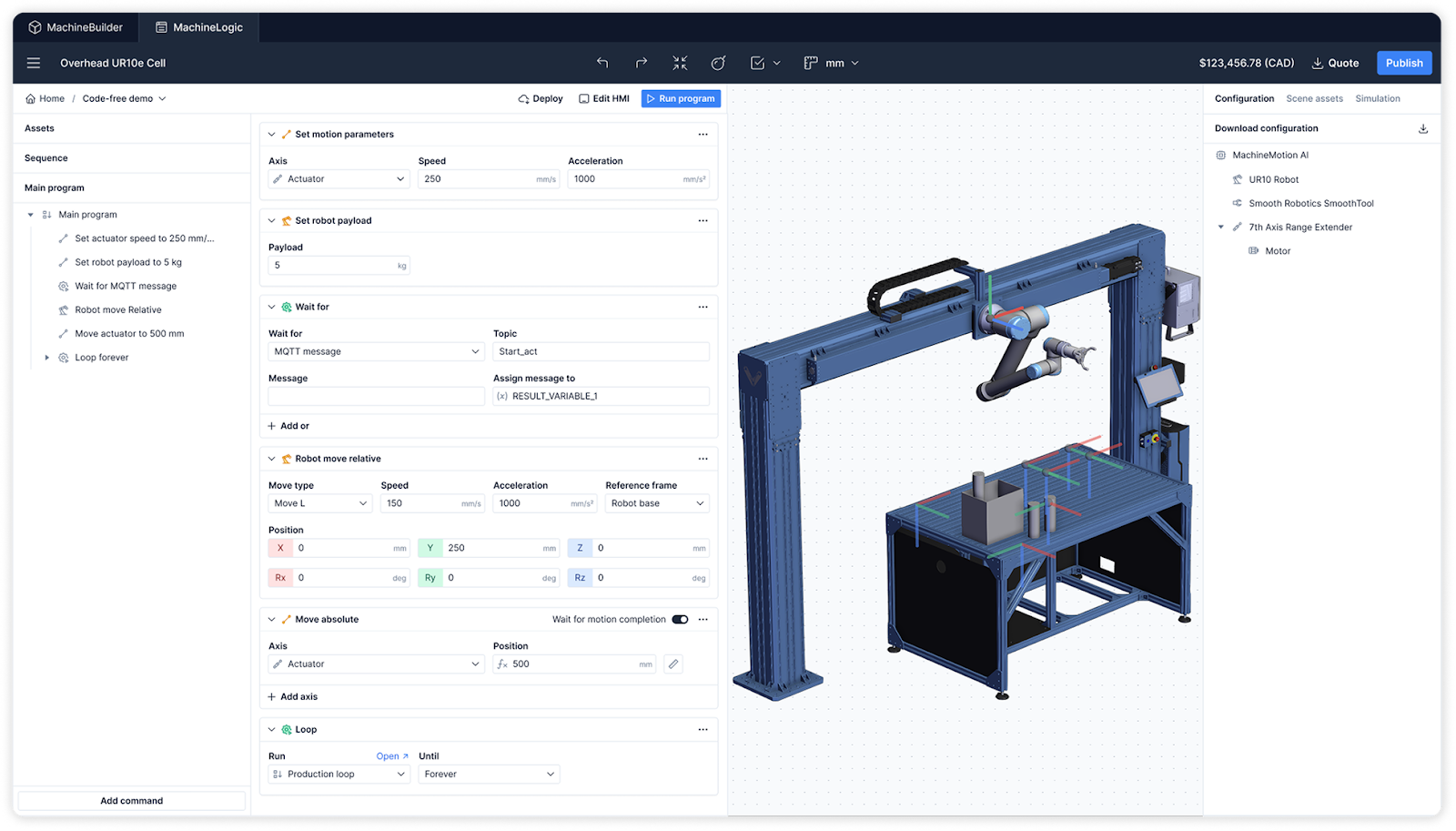
The new MachineLogic UI is here. With a streamlined toolbar, color-coded instructions, and a new command menu, it’s designed to help you move seamlessly between visual programming, Python scripting, and simulation — all in one consistent workspace.
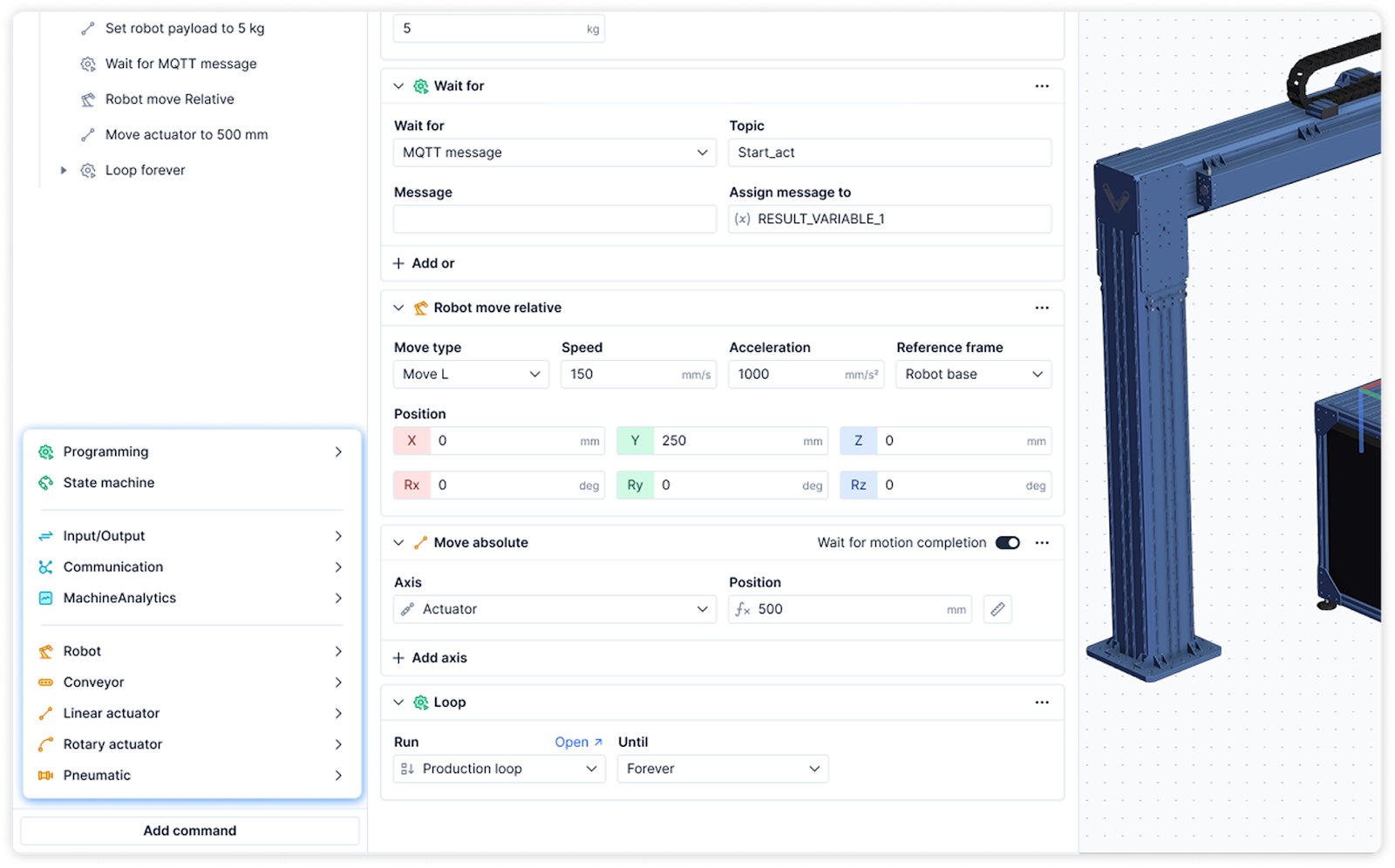
New Command Menu
A context-aware command menu helps you find the right instruction for your specific setup — reducing time spent searching and making code-free programming more intuitive than ever.
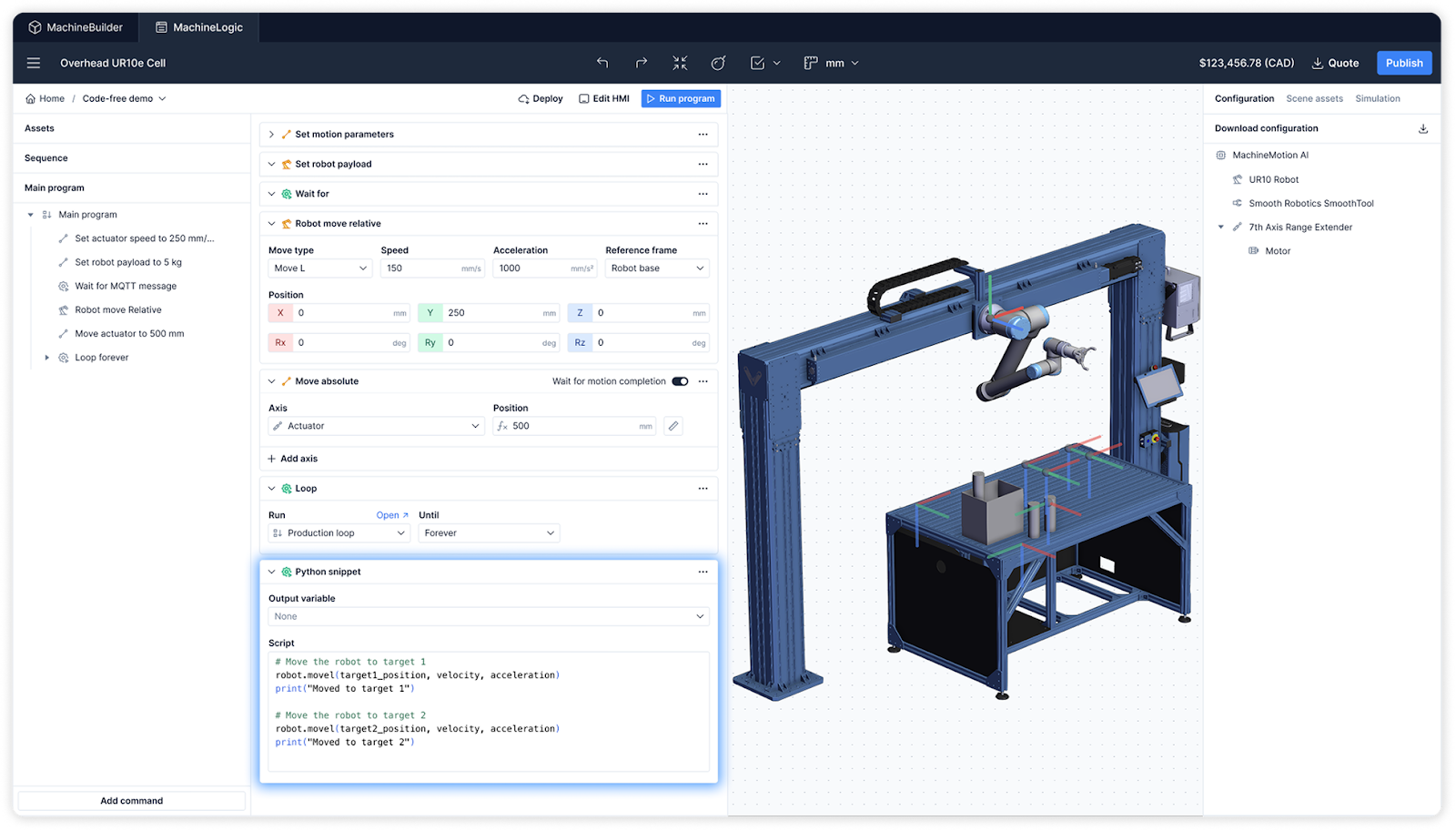
Python Snippets in Code-Free
Need flexibility without leaving visual programming? You can now drop Python snippets directly into your code-free program, combining simplicity with the power of custom logic.
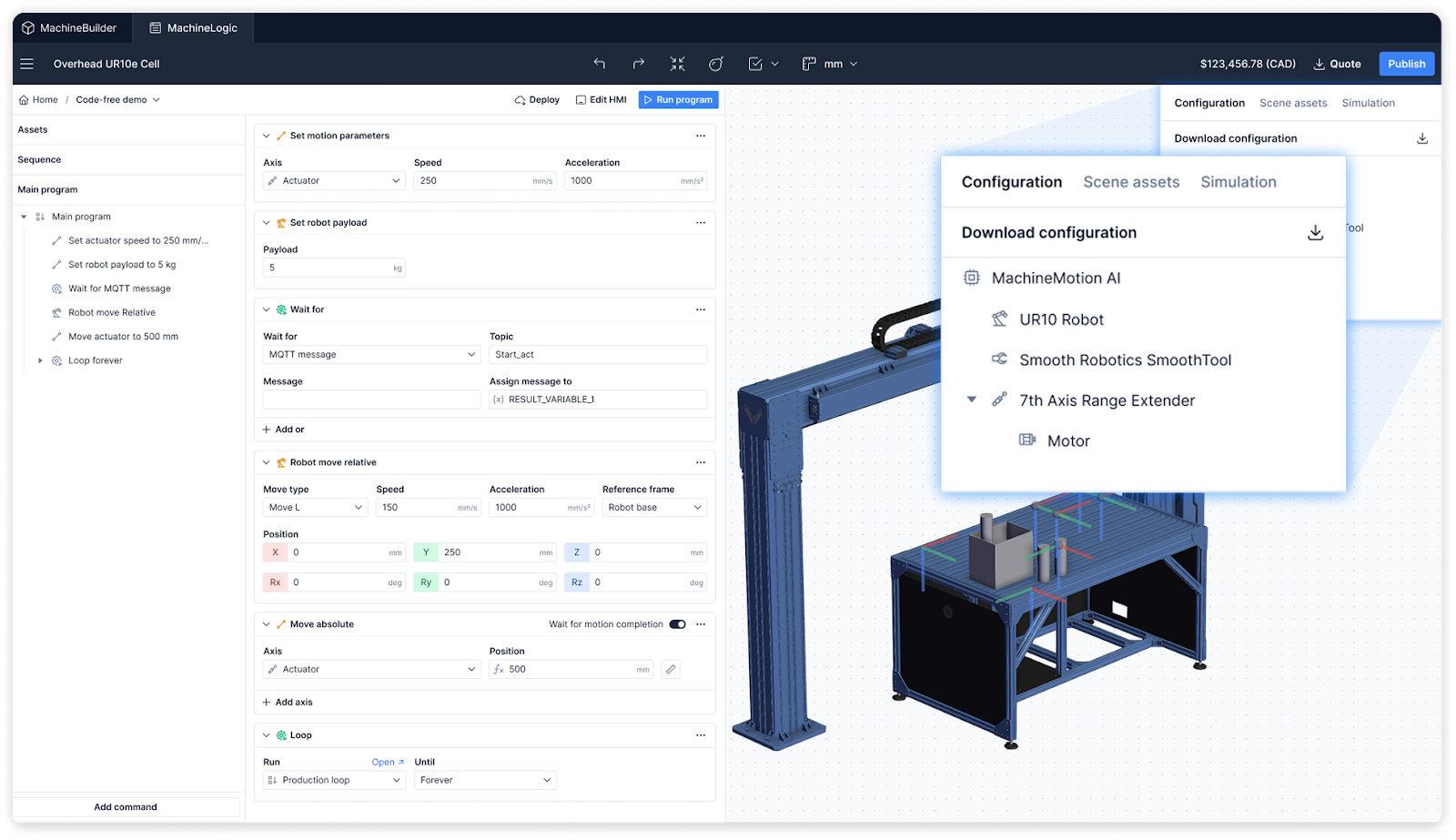
Software-Defined Configuration
Hardware configuration is now cloud-managed. With software-defined configuration, your MachineMotion AI controller, robots, and sensors automatically configure themselves to match your design so when you deploy your program, it works perfectly.
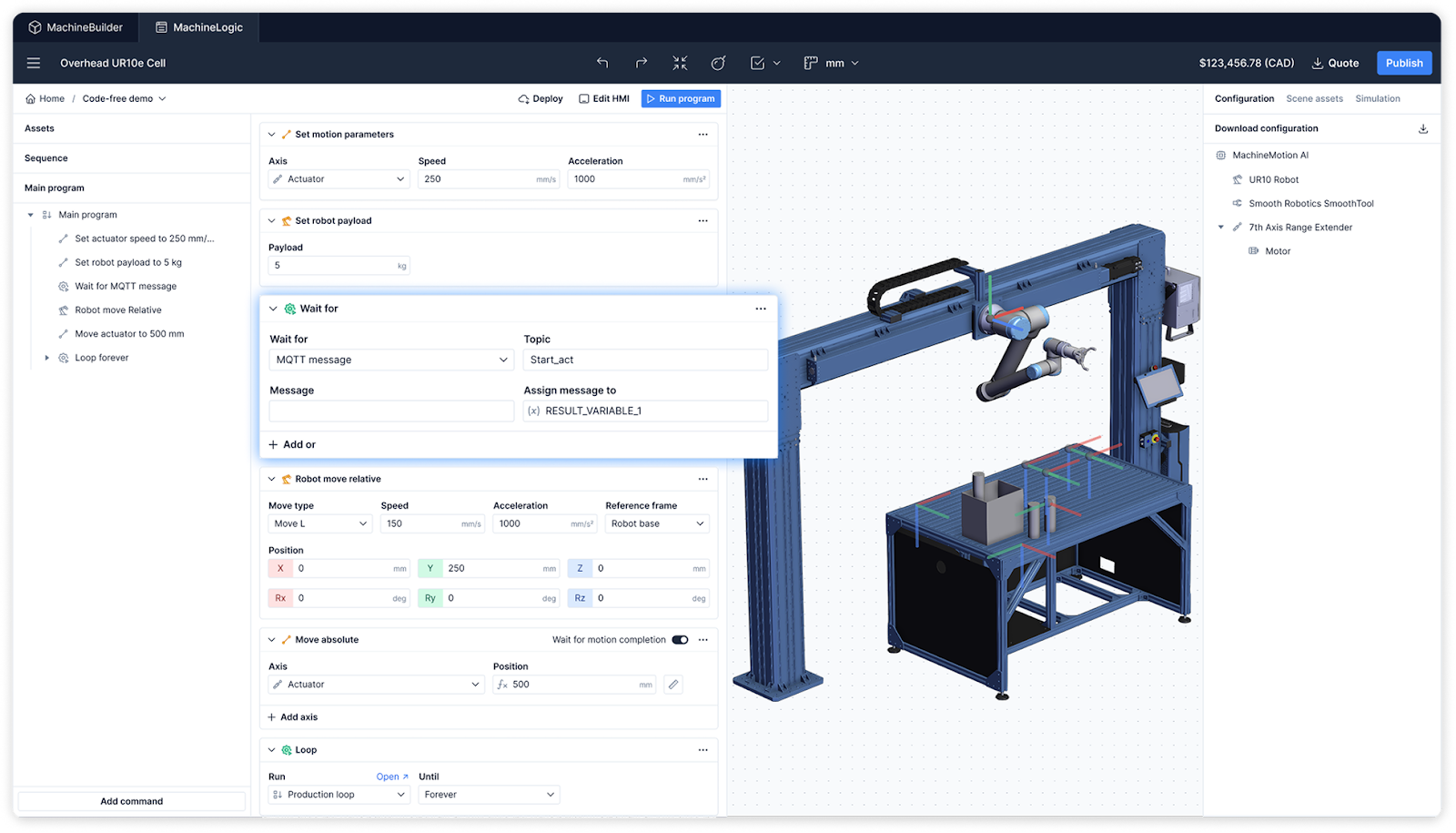
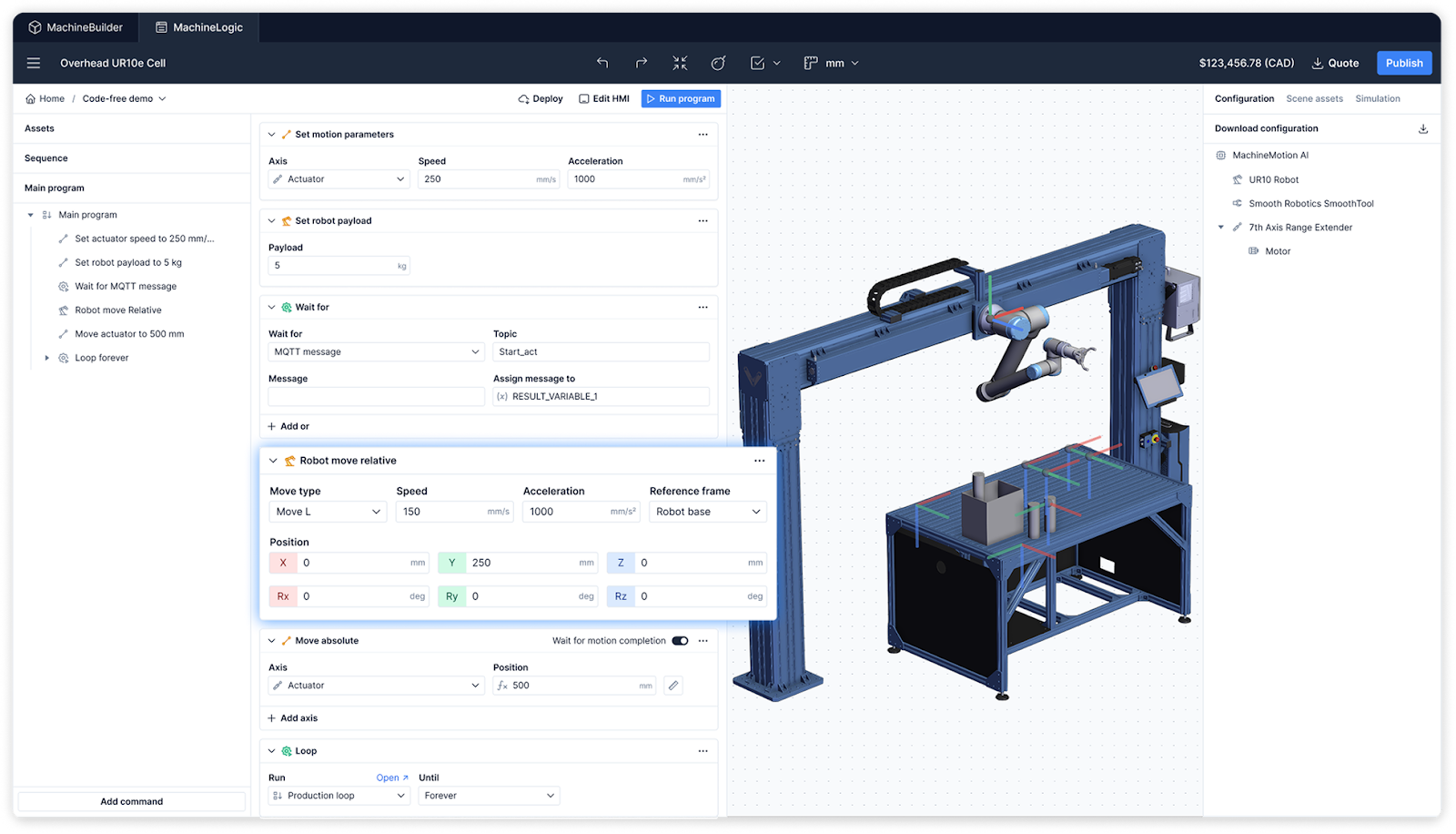
Wait for Multiple
You can now add a “Wait for Multiple” command in your code-free program, allowing you to pause your program until multiple signals or inputs are received. This is a small change that makes complex machine coordination much easier to manage.
Move-Relative
The new Move-Relative command in your code-free program lets you program motion sequences based on relative offsets instead of fixed positions, perfect for flexible applications or dynamic workflows.
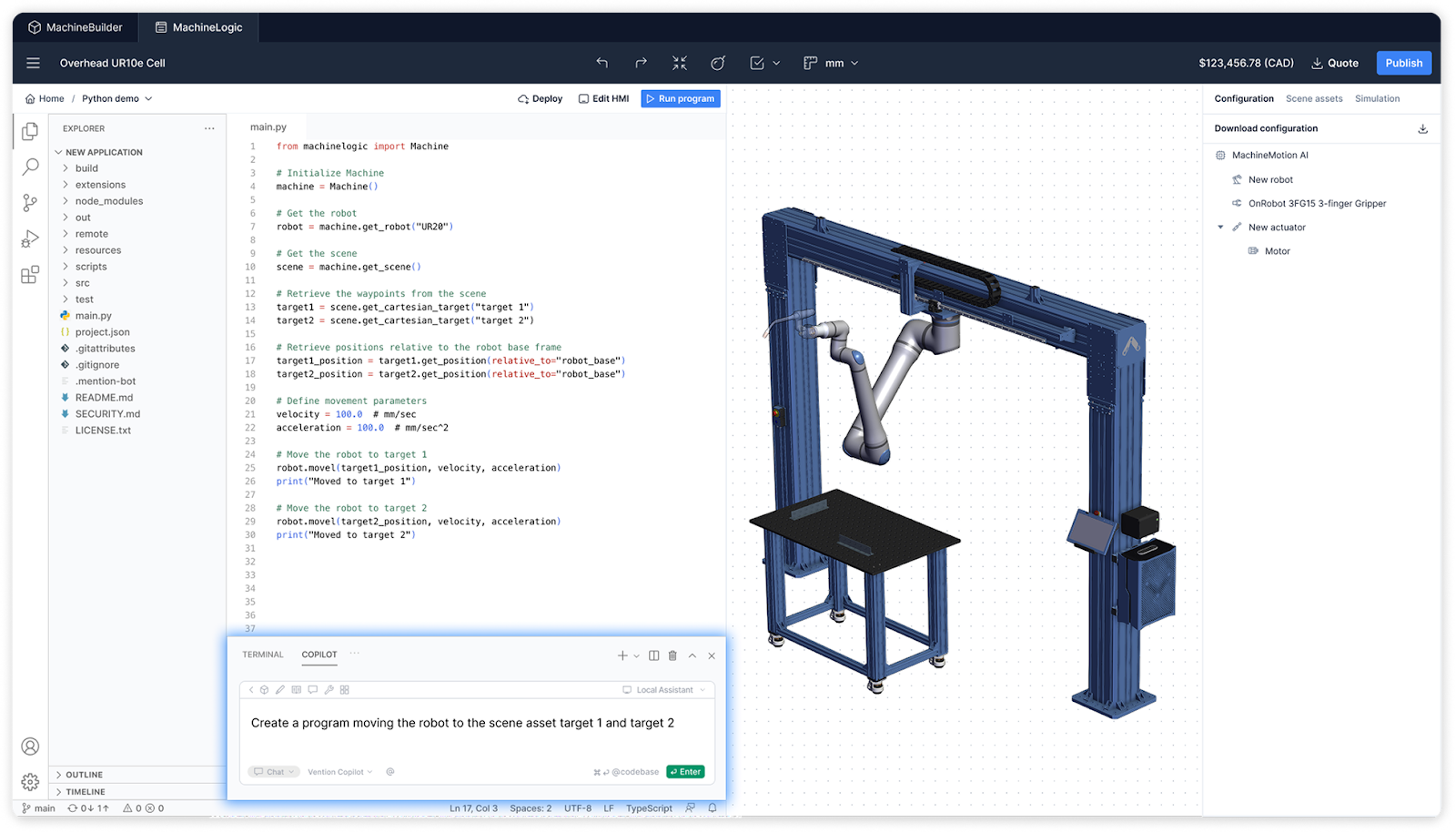
Scene Assets in Copilot & Python
MachineLogic’s AI Copilot is now scene-aware. It understands your 3D environment, so it can generate Python code that references real design elements, like waypoints, frames, or part geometry automatically.
So you can now reference any waypoint or frame from your 3D scene, and Copilot will generate Python code for you.
It’s like having a robotics engineer at your side, turning specifications into code and speeding up development.
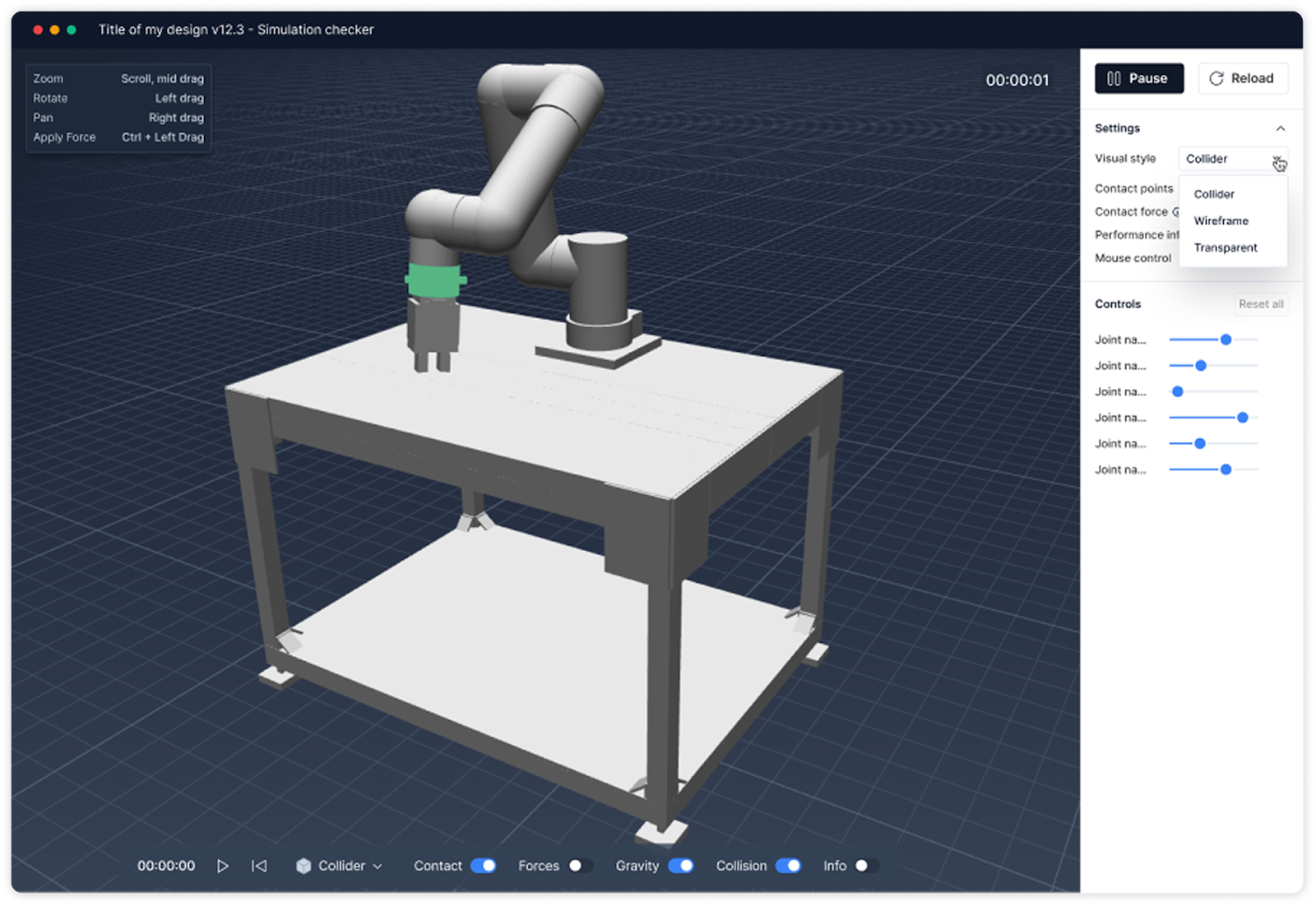
Simulation Debugger
Debug your automation sequences like never before. With the new Simulation Debugger, you can step through your simulation, inspect states, and visualize motion errors before deployment, ensuring your code runs perfectly on the first try.
Developer Toolkit
We just opened up Vention’s platform to developers everywhere.
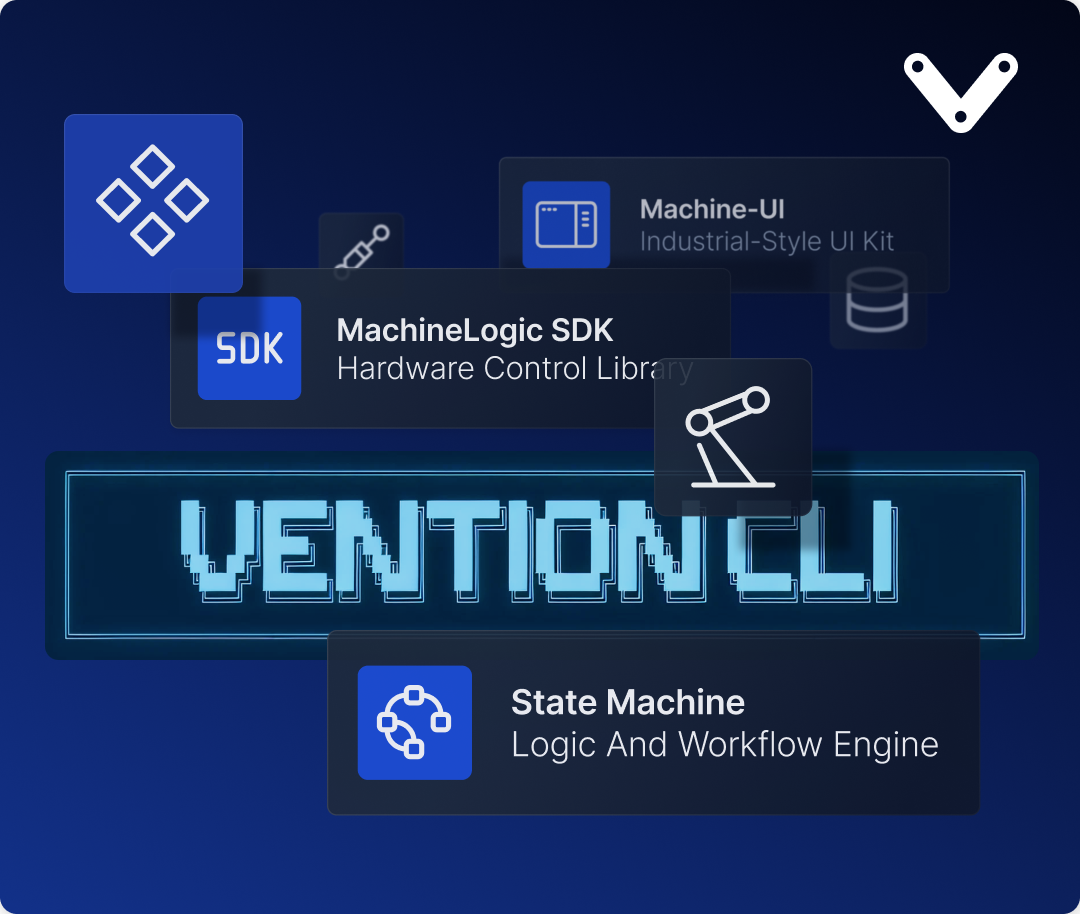
Introducing the Vention Developer Toolkit: a complete set of libraries and tools that lets developers, integrators, and roboticists go from idea to working machine app faster than ever.
The Developer Toolkit gives you the same curated tools and building blocks we’ve used to create thousands of automation applications.
Now you can use them to author your own custom apps on Vention’s platform.
Everything works together seamlessly, so you can focus on building automation that works, from code to machine.
Discover the toolkit here: https://docs.vention.io/docs/en/introduction-to-the-vention-developer-toolkit